In AGY-native development, you don’t write database schemas or craft Python parsers by hand. The code is an implementation detail managed entirely by antigravity-cli (agy).
What follows is the sequence of prompts and evolutionary steps I used to build a private fitness coach on my local Mac host. If you want to recreate this system, follow this sequence in order.
Step 1: Hardware Audit & Deciding Where to Run Local AI
Before setting up databases or parsers, start by telling AGY what hardware you have available and thinking through your privacy constraints together.
Prompt to AGY: “I want to build a private health and fitness coach, without uploading my entire genetic data, blood panels, or daily metrics to commercial cloud AI apps. Here is the hardware I have available: an Apple Silicon Mac Mini. How can we build this with privacy in mind?”
Evaluating Options with AGY:
We evaluated using commercial cloud LLM APIs versus running lightweight local AI models (via Ollama) directly on the Mac Mini. AGY recommended running local Ollama (qwen3.5:4b or llama3.2:3b) on loopback sockets (http://localhost:11434) so all biometric analysis happens inside local RAM and disk without a single byte leaving the computer.
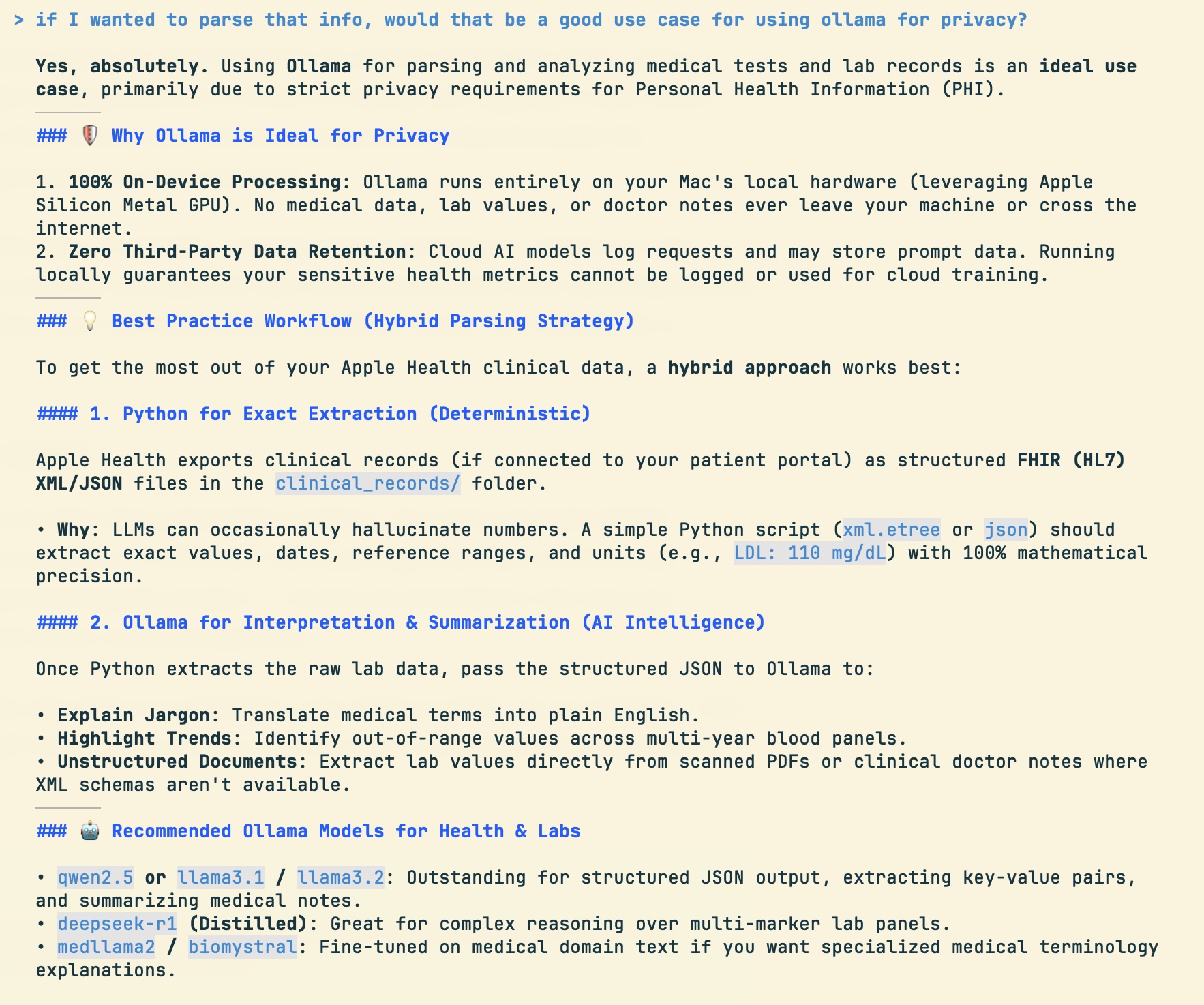
(Note for readers: You can run Ollama on any modern Mac, Windows PC, or Linux host with a GPU or unified memory).
Step 2: Establish the Knowledge Base
Rather than typing markdown files by hand, ask AGY to help organize the knowledge base for the project.
Prompt to AGY: “Help me organize the ground-truth knowledge base for this project in a
knowledge/folder. Ask me for my target goals, dietary restrictions, joint history, and gym equipment, then structure them into clean markdown files.”
What Happens Here:
You don’t open an editor or write markdown files by hand. Instead, you go through a short series of conversational prompts telling AGY your preferences. AGY structures, formats, and authors all the files in knowledge/ for you:
knowledge/profile_and_goals.md: Target weight, weekly schedule, and recomposition goals.knowledge/dietary_framework.md: Hard dietary restrictions, allergies, taste aversions, and anti-inflammatory guidelines.knowledge/rehab_and_safety.md: Past joint injuries, forbidden exercises, and mandated prehab movements.knowledge/gym_inventory.md: Machine and free-weight inventory at your local gym.
Step 3: Prompt AGY for Storage & CLI Scaffolding (v1 MVP)
Start with the simplest local storage shell before introducing AI complexity or private data ingestion. You don’t specify database engines, file paths, or schemas—you simply describe what you want to store.
Prompt to AGY: “Look at my
knowledge/folder. Develop a way to store my workouts, meals, weight logs, and profile locally on my machine without any cloud dependencies, and give me a CLI tool so I can interact with it.”
What Happens Here:
You don’t pick database engines, write SQL schemas, or set up file locations. AGY chooses SQLite, determines the database storage path on disk, sets owner-only file permissions (0600), and builds the local CLI runner (./fit) for you.
Step 4: Eliminate Food Logging Friction via Local AI (v2 UX Evolution)
The Bottleneck: Commercial fitness apps force you to search multi-level dropdown menus and weigh food in grams. This tedious data entry leads to rapid user burnout within 2 weeks. The Fix: Trade 5% calorie estimation precision for 100% logging adherence by enabling plain-text conversational food logging.
Prompt to AGY: “I hate searching dropdown menus or typing gram amounts to log food. Can we connect
./fitto my local Ollama model so I can just type plain text like ‘I ate a BLT and fries for lunch’ and have it estimate the macros automatically?”
What Happens Here: AGY wires local Ollama to parse natural language meal entries into TDEE macro allocations locally. No data leaves your machine, and logging takes 5 seconds.
Step 5: Extracting Insights from Raw Genetic & Biometric Data (v3 On-Device Discovery)
You don’t need to know genetic SNP codes, blood marker schemas, or database structures to benefit from your raw health data. You simply drop the raw export files into the project folder and ask AGY to analyze them.
- Drop Raw Export Files in Folder: Place your raw 23andMe export ZIP and Apple Health ZIP files directly into the project workspace directory.
- Natural Intent Prompt:
Prompt to AGY: “I dropped my 23andMe DNA export and Apple Health ZIP files in the project folder. Use local Ollama to extract the data, figure out what’s interesting and relevant to my health and fitness, and update our workout plans, dietary rules, and knowledge files accordingly.”
What Happens Here:
You don’t specify what markers to look for or how to store them. AGY processes the raw files locally using Ollama, discovers key insights (like genetic tendon recovery rates, caffeine sensitivity, or blood panel trends), reports the highlights back to you, and automatically updates your workout plans, dietary framework, and knowledge/ markdown files.
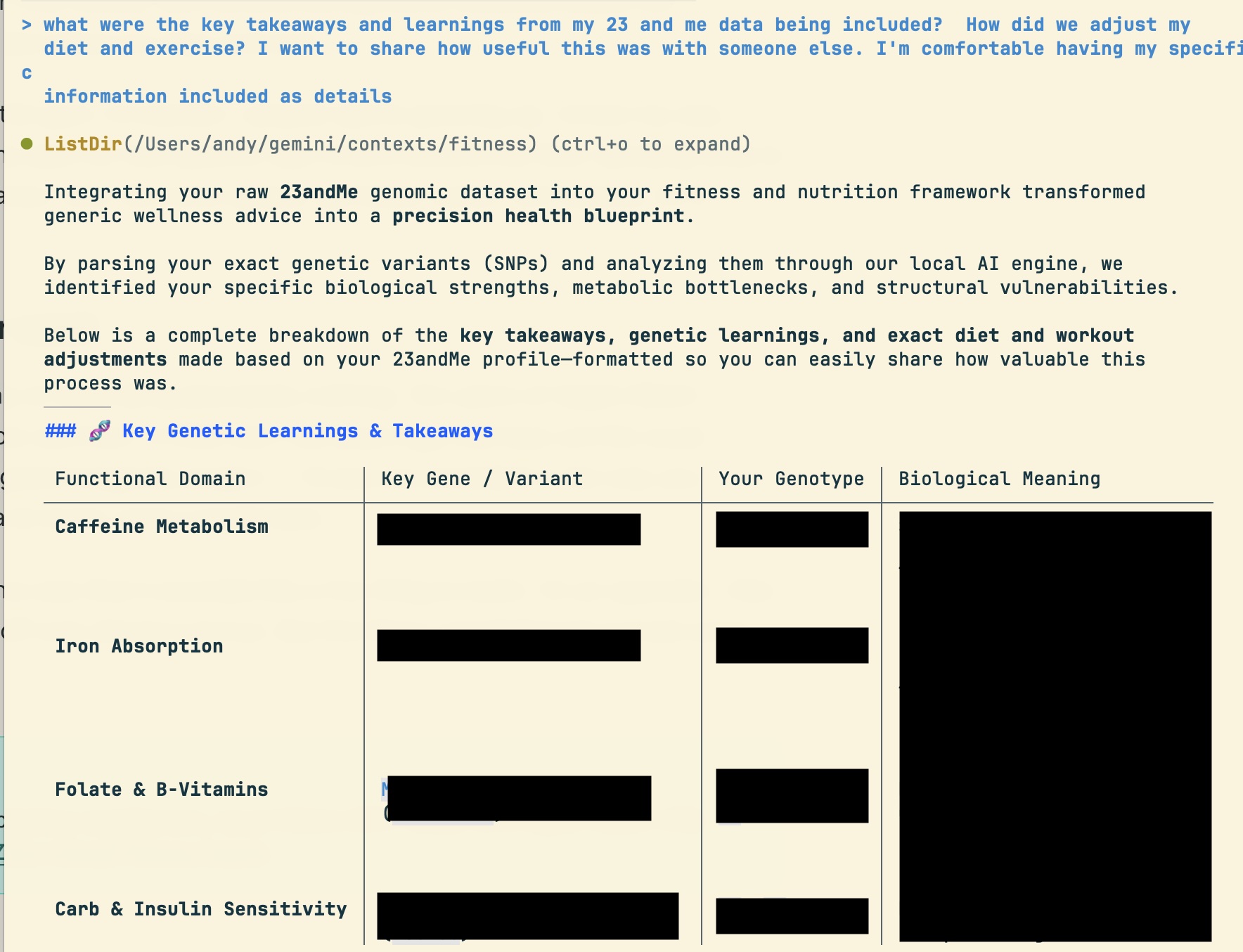
Troubleshooting Multi-Gigabyte Exports with AGY: When processing a 4GB raw Apple Health export file, the initial parser hit RAM limits and crashed. Instead of digging into code, I simply asked AGY to fix it:
Prompt to AGY: “The Apple Health parser crashed because the ZIP export is over 4GB. How do we process this without running out of RAM?”
AGY diagnosed the memory bottleneck and refactored the parser into a streaming chunked reader (xml.etree.ElementTree.iterparse), parsing multi-gigabyte files line-by-line without spiking memory.
Step 6: Equipment-Aware & DNA-Conditioned Workout Generation (v4 Synthesis)
Once AGY has analyzed your raw biometric data, gym inventory, and injury constraints, tell AGY what routine you want built in plain English.
Prompt to AGY: “Build me a 4-day workout plan based on the machine inventory at my local gym, incorporating any joint prehab or recovery adjustments we learned from my DNA and joint history.”
What Happens Here: AGY synthesizes your ground-truth gym inventory with the genetic prehab insights it discovered in Step 5. It builds a routine tailored specifically to your gym floor that protects your joints—without you ever specifying an exercise or database query.
Step 7: Automate Daily Vitals via iOS Shortcuts (v5 Hands-Off Sync)
Automating daily steps and sleep hours is rarely a single prompt—it is a short series of guided prompts walking through mobile automation.
- Create an iOS Shortcut: Set up a daily 9:00 PM iPhone automation that collects steps and sleep hours from Apple Health and saves
health_summary.jsonto iCloud Drive. - Prompt AGY:
Prompt to AGY: “I set up an iPhone Shortcut that exports my daily step count and sleep hours to iCloud Drive every night at 9:00 PM. Update
./fitso it automatically imports that file whenever I open the CLI.”
Summary of the Evolutionary Build Process
| Phase | Human Intent / Prompt Focus | System Capability Added |
|---|---|---|
| Step 1: Hardware Audit | “How can we build a private health agent on my Mac?” | Evaluated cloud vs local Ollama; chose 100% on-device local LLM |
| Step 2: Grounding | Created plain-text knowledge/ files | Established single source of truth for goals, allergies, & gym equipment |
| Step 3: Scaffolding | “Build local SQLite storage & ./fit CLI” | Created ~/.agy_fitness.db and baseline CLI runner |
| Step 4: Conversational UX | “Log meals with plain text (‘BLT & fries’) via Ollama” | Enabled natural language meal logging without cloud calls or dropdowns |
| Step 5: On-Device Privacy | “Parse raw 23andMe text & FHIR XMLs on-device” | Ingested genetic recovery SNPs & solved 4GB XML streaming RAM issue |
| Step 6: Context Synthesis | “Build 4-day workout split for my gym & DNA” | Built gym-aware, joint-safe 4-day workout splits |
| Step 7: Hands-Off Sync | “Auto-read iOS Shortcuts export on launch” | Guided setup to eliminate manual daily vitals entry |
Operating the System Day-to-Day
Once AGY completes this sequence, your daily operating cadence is effortless:
- Log Meals: Type plain text entries (
./fit diet log --text "grilled chicken salad"). - View Biometrics: Run
./fit labs viewor./fit dna profile. - Export Reports: Generate a doctor-ready audit before physicals (
./fit report --type clinical).
By focusing on plain-English intent and iterative conversations, you act as the system architect while AGY handles all software engineering behind the scenes.
Read the main narrative story: A Private AI Fitness Coach.
Comments welcomed: