In AGY-native development, you don’t sit in a Zsh terminal manually executing shell commands or SSHing into remote nodes by hand. The terminal commands, firewall rules, and remote node configurations are implementation details managed entirely by antigravity-cli (agy).
What follows is the exact sequence of prompts and evolutionary steps I used to build a zero-trust, persistent mobile AI control plane—allowing 100% remote control of my home Mac Mini server from an iPad or iPhone anywhere in the world. If you want to recreate this system, follow this sequence in order.
Step 1: Hardware Audit & Headless Host Setup
Before configuring network rules or sessions, start by telling AGY what hardware devices you have available and evaluating your host setup together.
Prompt to AGY: “I travel constantly and need to control my home Mac Mini server remotely from my iPad or iPhone with zero-trust security and persistent sessions. Here is my hardware: an always-on Mac Mini host server, an iPad/iPhone with Termius, and a satellite Raspberry Pi. How should we set this up?”
Evaluating Options with AGY: AGY evaluated the host environment and highlighted a critical macOS hardware quirk: headless display server throttling. When a Mac Mini runs without a monitor attached, macOS aggressively throttles GPU tasks and background agent threads.
AGY recommended plugging a ~$7 HDMI dummy plug into the Mac Mini to trick macOS into keeping the display server fully active, then turning off system sleep so AGY subagent tasks run at 100% speed 24/7.
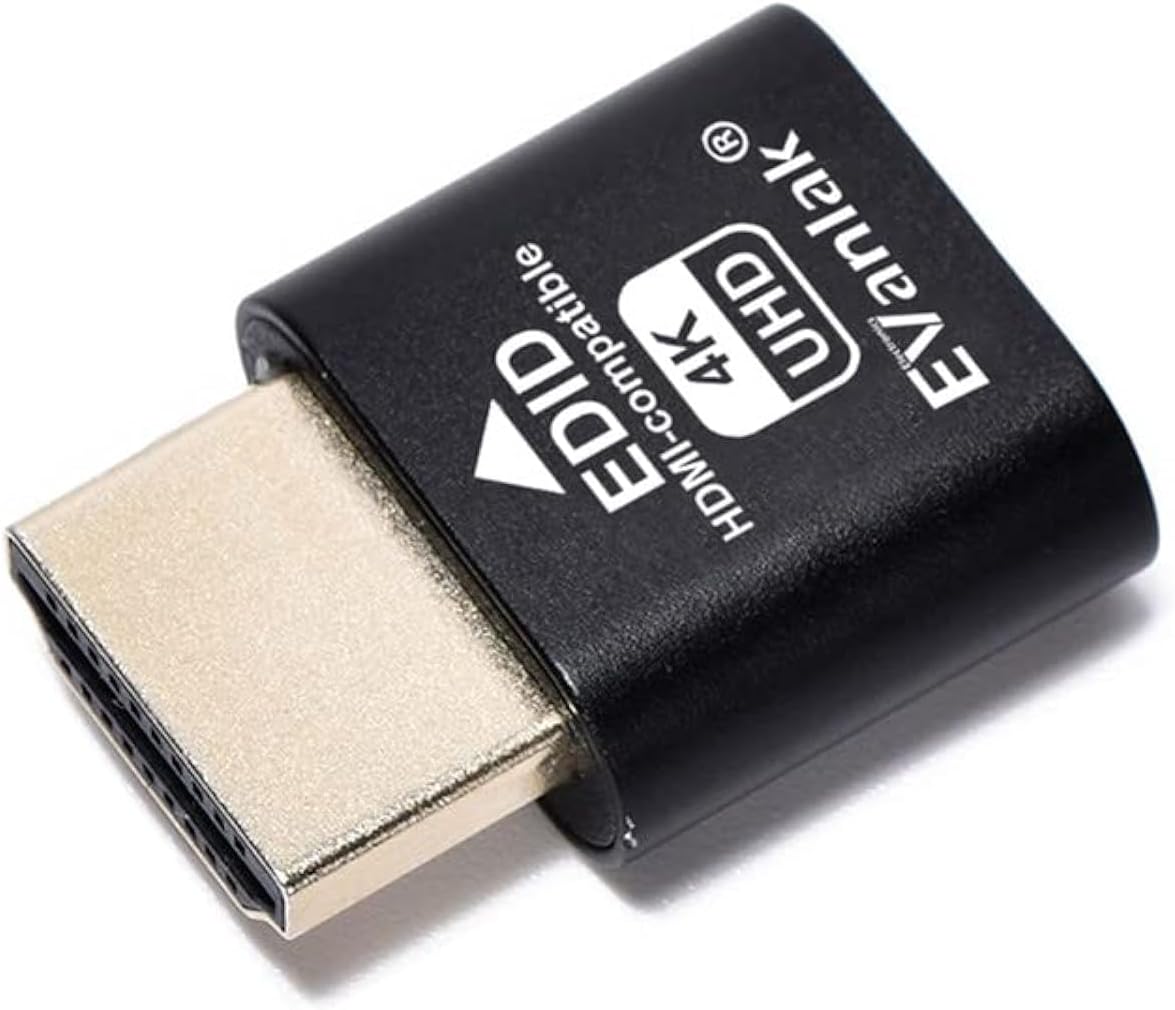
(Note for readers: An HDMI dummy plug costs under $10 on Amazon and is a mandatory hardware patch for running headless Mac servers without agent performance degradation: Get the HDMI Dummy Plug on Amazon).
Step 2: Establish the Ground-Truth Knowledge Base
Rather than typing markdown configuration files by hand, ask AGY to help organize the knowledge base for your remote infrastructure and security rules.
Prompt to AGY: “Help me organize the ground-truth knowledge base for my remote control plane in a
knowledge/folder. Ask me for my network security rules, identity gating preferences, and mobile shortcuts, then write the markdown files.”
What Happens Here:
You go through a short series of conversational prompts detailing your setup. AGY structures, formats, and authors all the files in knowledge/ for you:
knowledge/host_hardware_specs.md: Mac Mini host specs, HDMI dummy plug setup, and 24/7 power settings.knowledge/network_security_rules.md: Zero public open ports, Tailscale mesh rules, and hardware YubiKey identity gating.knowledge/mobile_client_specs.md: Termius touch keybar shortcuts and mobile reconnect aliases.
Step 3: Zero-Trust Mesh & Identity Hardening (v1 Infrastructure)
To get started with your zero-trust network mesh, head over to tailscale.com, sign up for a free account, and install Tailscale on your host machine and mobile devices.
Rather than manually setting up firewalls or editing SSH configurations by hand, use AGY to provision and harden your zero-trust network once Tailscale is installed.
Prompt to AGY: “Configure Tailscale SSH on this Mac Mini. Enforce zero public open ports, disable SSH password logins entirely in
/etc/ssh/sshd_config, and gate all access strictly behind my hardware security key identity.”
What Happens Here: AGY configures firewall rules with a default-deny inbound policy, enables Tailscale SSH, disables password authentication, and enforces key-only identity checks. You now have a zero-trust network mesh without exposing a single port to the public internet.
Step 4: Session Decoupling via tmux (v2 Cell-Drop Resilience)
When driving an AI agent from a mobile device, switching from 5G to café Wi-Fi drops the SSH connection. Without session decoupling, a dropped connection kills the running agent mid-task.
Prompt to AGY: “Configure
tmuxon my Mac Mini so my AGY sessions run continuously in the background even if my mobile SSH connection drops, and create a single-letter Zsh alias so I can reattach instantly with one tap.”
What Happens Here:
AGY writes the ~/.tmux.conf file with a 10,000-line scrollback buffer and touch-scroll support, then injects a 1-tap reattach alias (alias a="tmux attach-session -t agy || tmux new-session -s agy") into your shell. When your mobile connection drops while traveling, AGY keeps running uninterrupted inside tmux.
Step 5: Remote Satellite Node Provisioning & Family Security (v3 Expansion)
Once the central host is running, use AGY to remotely provision satellite devices (like a Raspberry Pi) over your zero-trust mesh.
Prompt to AGY: “SSH into my satellite Raspberry Pi over Tailscale, install NextDNS for DNS-over-HTTPS filtering, and configure it as an exit node so my iPhone on untrusted café Wi-Fi can tunnel all web traffic securely back through home.”
What Happens Here: You don’t open terminal windows to SSH into satellite devices manually. AGY logs into the Raspberry Pi over Tailscale SSH, installs NextDNS, enables DNS filtering, and configures Tailscale exit-node routing automatically.
Side Note: Family Malware Protection & Infrastructure Isolation via Tailscale ACLs Beyond personal remote access, I also had AGY set up individual NextDNS profiles for each family member to provide customized ad blocking, content filtering, and enhanced malware protection across my kids’ devices.
My kids have Tailscale installed on their devices so they can use our home Raspberry Pi as a secure VPN exit node when away from home. To maintain zero-trust security, AGY configured Tailscale Access Control Lists (ACLs):
- Allowed: Family devices can tunnel web traffic through the home exit node VPN.
- Blocked: Family devices are strictly isolated from reaching any of my AI infrastructure, servers, or management nodes—whether connecting remotely or on the local home network.
Step 6: Configure Mobile Touch Ergonomics & Siri Shortcuts (v4 Mobile UX)
Driving a command-line interface from an iPad or iPhone touch screen requires optimizing mobile keybar shortcuts and 1-tap launcher flows.
Prompt to AGY: “Walk me through configuring Termius toolbar shortcuts on my iPad and iPhone so I can easily send terminal control keys and AGY slash commands without opening the soft keyboard.”
What Happens Here:
AGY guides you through pinning essential terminal control keys (Ctrl, Esc, Tab, |) and AGY slash commands (/plan, /schedule) to the Termius keybar across your mobile devices.
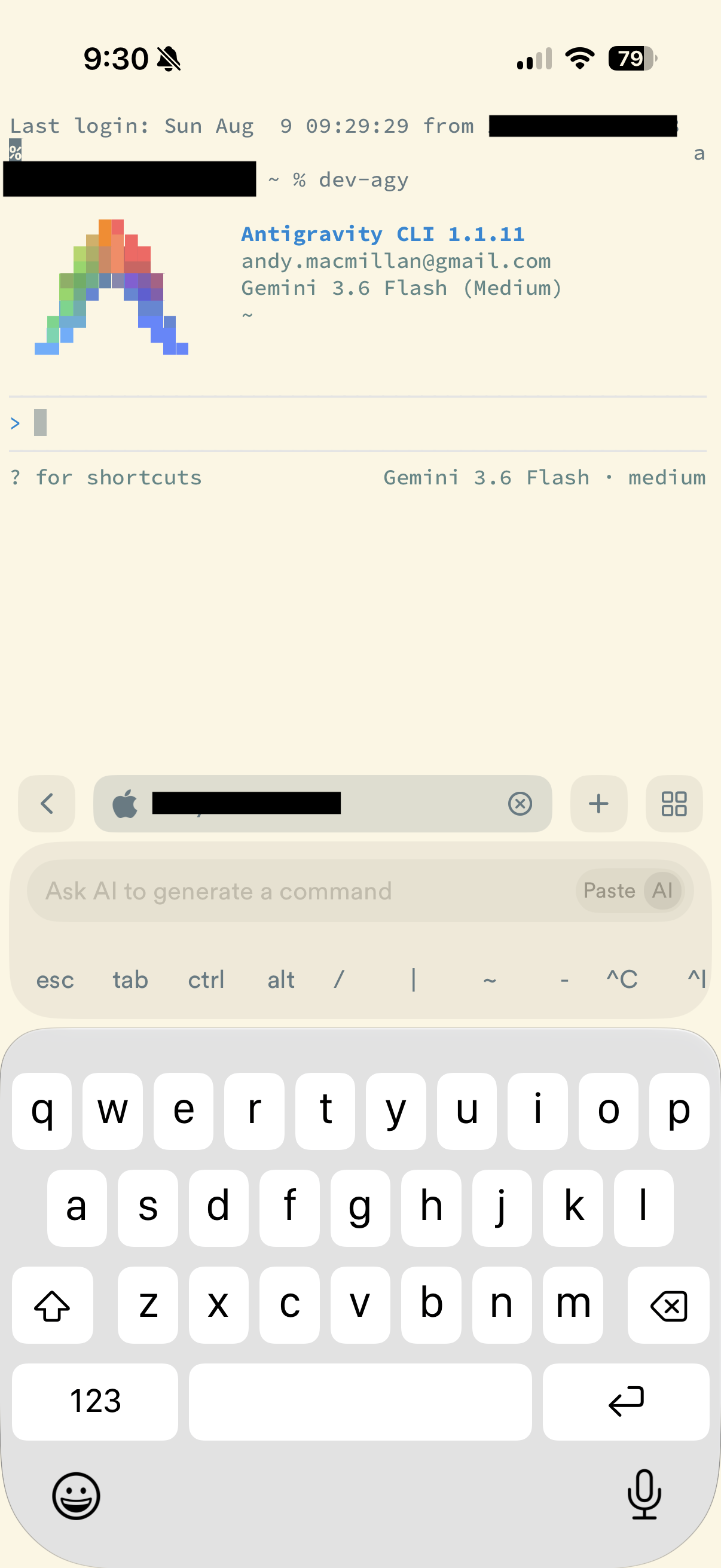
Remote Access in Action: iPad & iPhone Interfaces
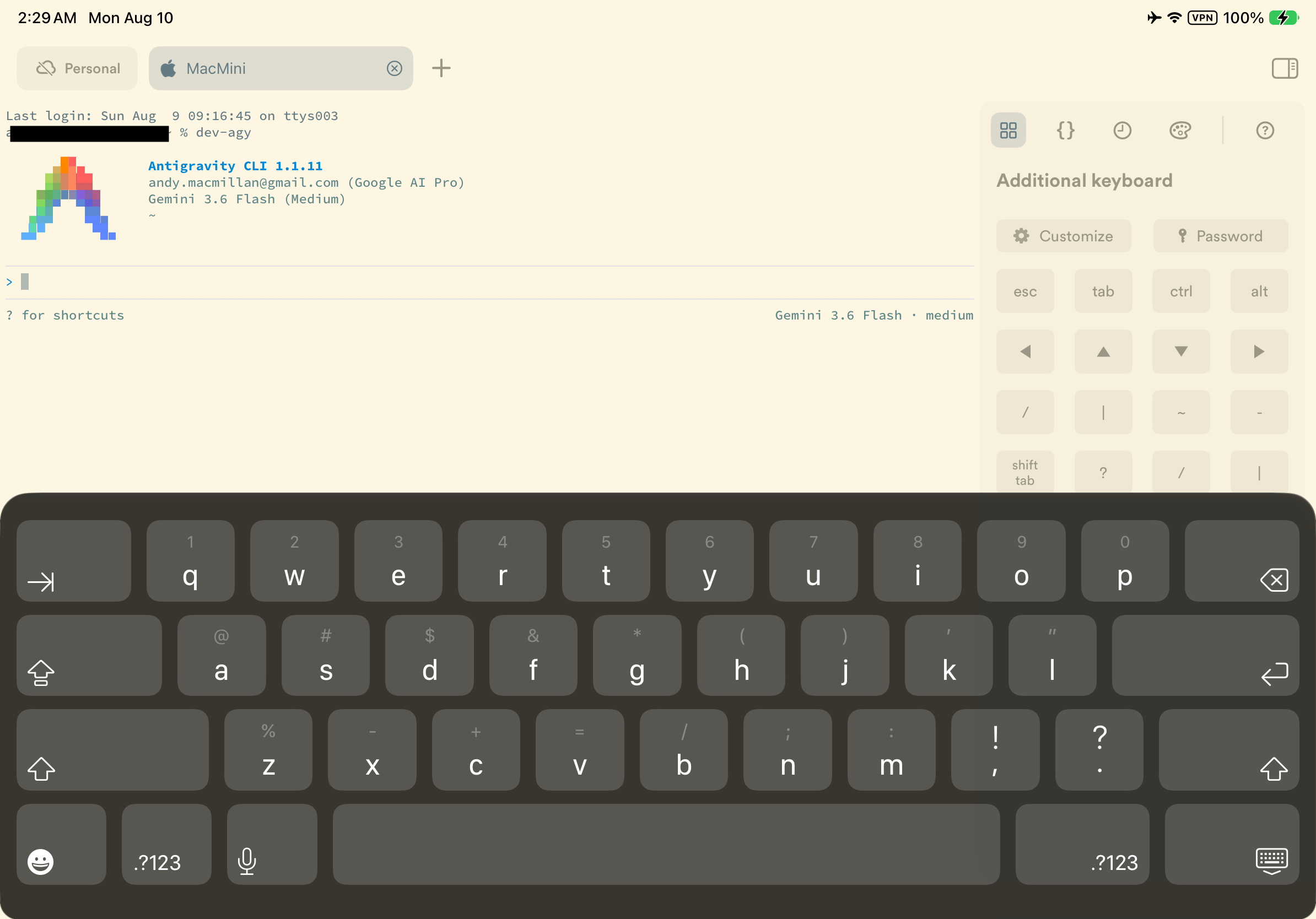
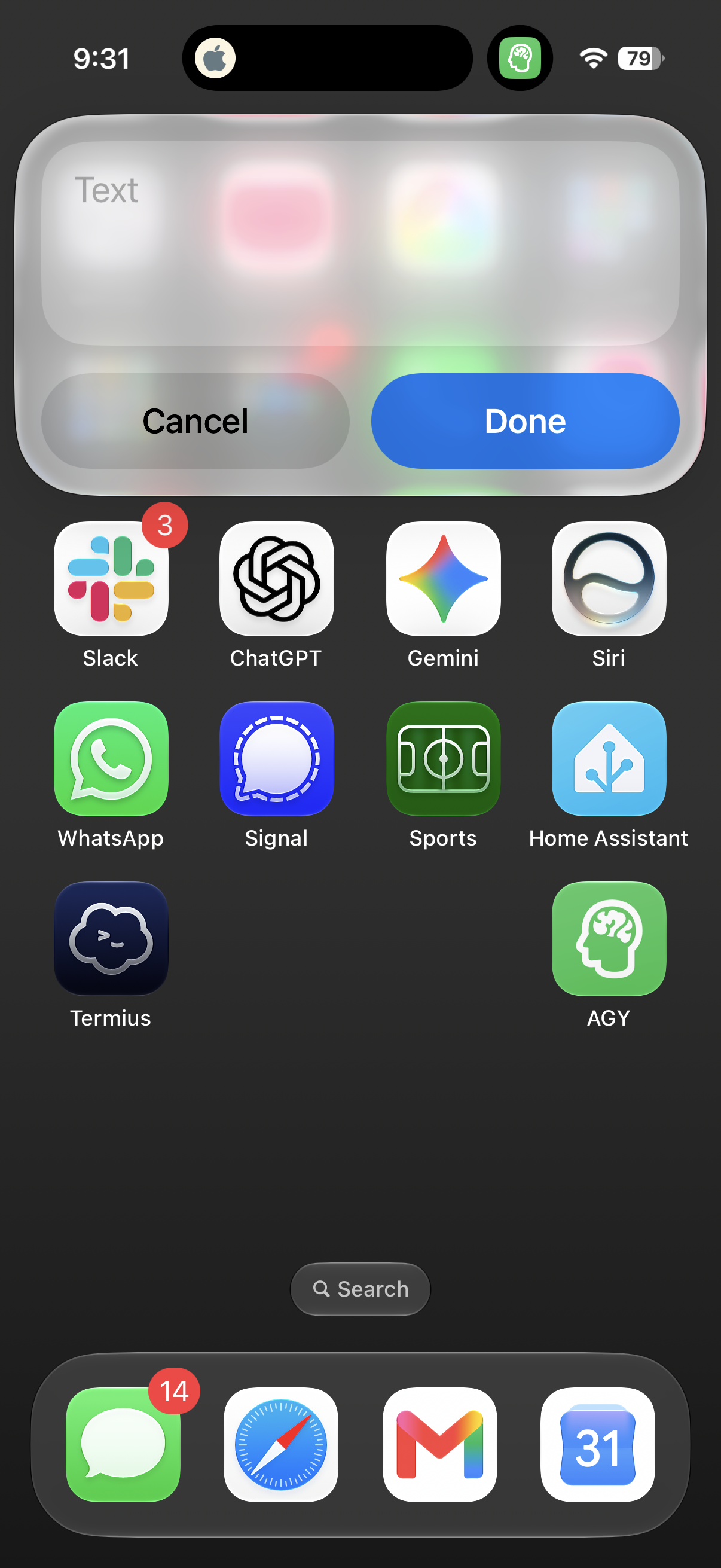
💡 iOS Siri Shortcut Integration: You can configure an iOS Siri Shortcut linked to Termius or SSH shell commands to trigger your remote
antigravity-clisessions hands-free via voice or with a single tap from your iPhone/iPad Home Screen or Action Button.
Summary of the Evolutionary Build Process
| Phase | Human Intent / Prompt Focus | System Capability Added |
|---|---|---|
| Step 1: Hardware Setup | “How to run 24/7 headless Mac Mini server?” | Audited Mac Mini, added $7 HDMI dummy plug, & disabled host sleep |
| Step 2: Grounding | Created plain-text knowledge/ files | Established single source of truth for network rules & mobile specs |
| Step 3: Mesh Hardening | “Enable Tailscale SSH & reject password logins” | Provisioned zero-trust mesh; gated access behind hardware security keys |
| Step 4: Persistence | “Configure tmux & 1-tap a alias for cell drops” | Decoupled AGY runs from mobile network drops via persistent tmux |
| Step 5: Satellite & Family Security | “SSH into Pi for NextDNS & family Tailscale ACLs” | AGY provisioned NextDNS, exit node VPN, & Tailscale ACL AI isolation |
| Step 6: Mobile Ergonomics | “Walk me through Termius keybar setup” | Guided mobile toolbar configuration for 1-tap CLI control on iPad/iPhone |
Operating the System Day-to-Day
Once AGY deploys this control plane, operating your AI agent on the go is effortless:
- Connect: Open Termius on your iPad or iPhone and tap your Mac Mini server.
- Attach Session: Tap
aand hit Enter to reattach your persistenttmuxagent session instantly. - Prompt AGY: Issue plain-English tasks from anywhere in the world—whether building web apps, analyzing finances, or auditing home network security.
By focusing on plain-English intent and iterative conversations, you act as the system architect while AGY handles all SSH configuration, firewall rules, satellite node deployment, and session management behind the scenes.
Read the main narrative story: The Remote Control Plane.
Comments welcomed: